Intro: Find Out What Kind of Lag You’re Dealing With
Lag can make an online match feel unfair, but the term covers a number of different problems. High ping translates to a delay between your device and the game server. Jitter means the delay keeps changing and packet loss is when some data doesn’t arrive. These network problems can result in delayed actions, rubber-banding or sudden disconnects. A game that appears choppy or freezes locally might actually be suffering from a low frame rate, overheating device, or overloaded processor.
Why does this matter? Because the fix is different. Turning down graphics settings can help a struggling PC render frames more smoothly, but it will not typically fix a weak Wi-Fi signal or a distant server. Moving closer to the router may stabilize a mobile connection, but it won’t fix a game that stutters because the phone is hot. Check the ping indicator in the game (if available) and see if the problem is only in one game, one device or all devices on the network.
Start with the simplest changes for the network: pause downloads and video streams, move closer to the router, restart the router if multiple devices are affected, and try Ethernet on a PC if practical. On mobile, compare Wi-Fi and cellular data when you have a good signal and sufficient data allowance. If changing networks solves the problem that helps narrow down where the problem might be.
A speed test can be useful but download speed alone doesn’t tell the whole story about how responsive a game connection is. Latency, jitter, packet loss, and how it performs under network load are also important for real-time play. Cloudflare Speed docs
This guide covers practical checks on your PC and mobile, tells you when to contact your internet provider and points out common “fixes” that might not get to the root of the problem. Try each of the steps one at a time to see which change actually helps.
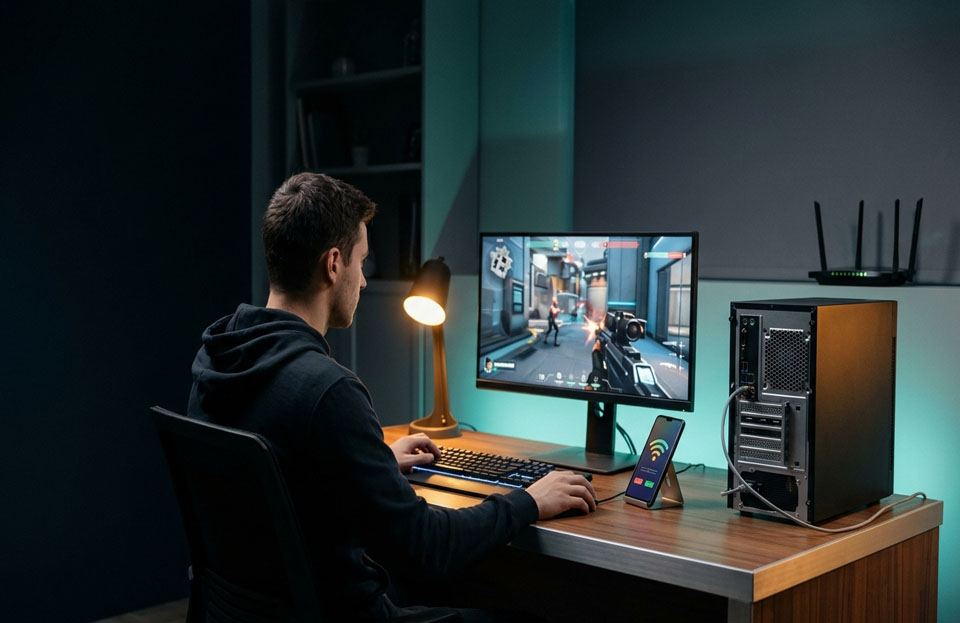
How to fix network lag on PC and mobile
Try Ethernet first on the PC. By going wired, you eliminate the variables of Wi-Fi signal strength and radio interference. If Ethernet is inconvenient, move closer to the router and test the available Wi-Fi bands. 5 GHz can be faster when you’re nearby, while 2.4 GHz can go further and through walls; the actual speed will depend on the router, distance, and how crowded the network is. To troubleshoot Wi-Fi, Microsoft recommends trying a different band, checking signal strength and testing the same network on another device. Microsoft Support
Reduce the competing traffic . Pause large downloads, cloud backups, game updates, and 4K streaming while you play. If your ping is spiking due to someone else’s activity, try again when the connection is less busy. Even if a simple speed test shows a high download speed , a connection may have high latency when it is under load . Cloudflare Speed docs
If the game is shuddery, but your ping is still solid, treat it as a performance issue, not a lag issue. Lower your graphics settings, close any resource-intensive apps and let a hot phone or laptop cool down. If the controls are laggy but the visuals are smooth, then network latency or packet loss is more likely. Some games display these conditions via an on-screen network graph or warning icon.
If Wi-Fi is spotty in one room, try playing closer to the router before buying equipment. Ethernet is a good test to compare on a PC. For mobile, try another Wi-Fi network or cellular data if you have it. If you see spikes on all devices on your home network, restart your modem and router once, and see if there’s a local service outage. If the problem persists, contact your internet provider. Microsoft also suggests testing the same network on another device to help determine if the problem is device specific. Microsoft Support
Don’t start with “ping booster” apps or randomly changing your DNS. DNS helps translate a service name to an address when connecting, but changing DNS usually doesn’t shorten the route taken by existing game traffic once the connection is made. A VPN might sometimes fix a strange routing issue, but it can also add distance and delay so test results rather than assuming it will improve ping.
The best way is to identify the symptom, test the connection, and only change what the evidence points to. Many players can benefit from a stable signal, a game server nearby, and less network congestion. If the problem is outside of your home network or caused by the game’s servers, local settings might not be enough.
Frequently Asked Questions
What makes games played online lag?
Typical causes include high latency, unstable Wi-Fi, packet loss, network congestion, game servers that are far away, or low performance of the device.
Does faster internet mean lower ping?
No Download speed is how fast data can come in bulk. Ping is response delay. A fast connection can still have high latency and jitter.
Is WiFi or Ethernet better for gaming?
Ethernet is generally more stable connection because it doesn’t have any wireless interference and signal loss. The results you see will depend on your network and configuration.
Can a VPN reduce gaming lag?
Usually try without the first. Depending on the provider and the route, results may differ, but a VPN may route traffic farther and increase delay .
Why does my mobile game lag when my Wi-Fi is good?
The game server might be far away, the network might be congested, or the phone might be overheating or having performance issues. Look at the ping indicator in the game and if you can compare it to another network. network if possible.