Struggling to land those one-tap headshots in Garena Free Fire? You’re not alone—many Android players miss crucial shots due to suboptimal sensitivity settings. In 2025, with the latest OB50 update tweaks, the right configuration can boost your headshot rate by 30-40%.
This guide delivers tested sensitivity settings optimized for Android devices. We’ll cover setups for low-end to high-end phones, a comparison table, and pro tips. Get ready to dominate ranked matches!
Why Sensitivity Settings Are Crucial for Headshots
Sensitivity controls how fast your crosshair moves when you swipe. Too low, and you can’t flick to enemies quickly. Too high, and you’ll overshoot heads.
For headshots, high sensitivity enables rapid drags upward to the enemy’s head. Pros use 180-200 ranges for quick 360° turns and precise aiming. In Free Fire’s fast-paced battles, this means more Booyahs.
Short practices in Training Island help adapt. Always prioritize head-level aiming.
How to Adjust Sensitivity Settings in Free Fire (Android)
Changing settings is simple:
- Launch Free Fire and tap the gear icon (top-right).
- Select the Sensitivity tab.
- Drag sliders for General, Red Dot, 2x Scope, 4x Scope, Sniper Scope, and Free Look.
- Exit—changes save automatically.
Test in Training mode. Reset via the tab if needed.
Bonus: Enable Developer Options (Settings > About Phone > Tap Build Number 7x). Set Pointer Speed to max or DPI to 450-550 for smoother swipes.
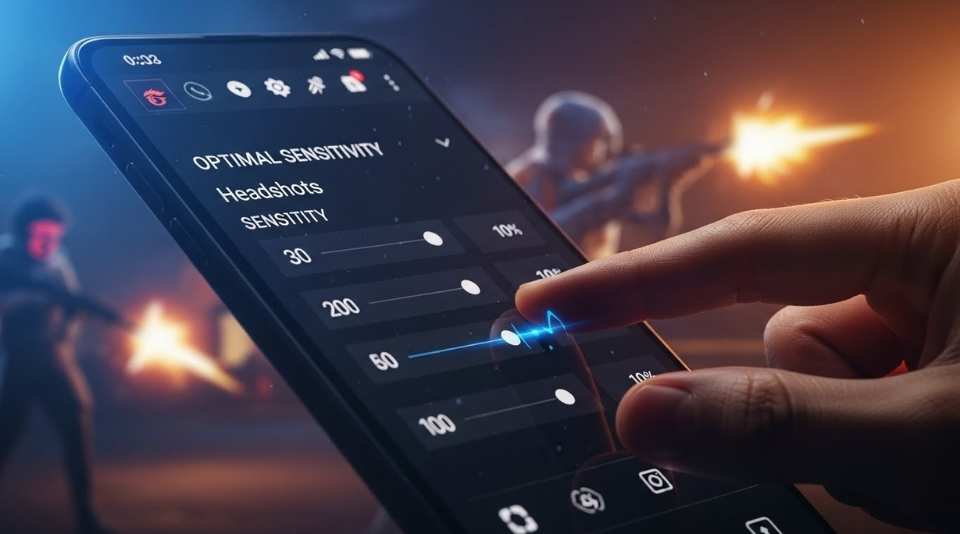
Best Sensitivity Settings for Headshots on Android Devices
Tailor to your phone’s RAM and screen size. These 2025 configs are synthesized from pro tests post-OB50. Higher RAM handles aggressive highs; low-end needs balance to fight lag.
Low-End Android (2-4GB RAM)
Perfect for budget phones like Redmi 12C or Infinix Smart 6. Prevents jittery aim.
- General: 95
- Red Dot: 90
- 2x Scope: 85
- 4x Scope: 75
- Sniper Scope: 60
- Free Look: 80
DPI: 400-450.
Mid-Range Android (4-8GB RAM)
Ideal for devices like OnePlus Nord or Vivo Y-series. Balances speed and control.
- General: 160
- Red Dot: 155
- 2x Scope: 145
- 4x Scope: 135
- Sniper Scope: 120
- Free Look: 150
DPI: 480-520.
High-End Android (8GB+ RAM)
For flagships like Samsung Galaxy S-series. Max flicks for pro-level headshots.
- General: 190
- Red Dot: 185
- 2x Scope: 175
- 4x Scope: 160
- Sniper Scope: 145
- Free Look: 180
DPI: 500-550.
Comparison Table: Sensitivity Settings by Device Type
| Setting | Default (Balanced) | Low-End (2-4GB) | Mid-Range (4-8GB) | High-End (8GB+) |
|---|---|---|---|---|
| General | 90-100 | 95 | 160 | 190 |
| Red Dot | 85-95 | 90 | 155 | 185 |
| 2x Scope | 75-85 | 85 | 145 | 175 |
| 4x Scope | 65-75 | 75 | 135 | 160 |
| Sniper | 50-60 | 60 | 120 | 145 |
| Free Look | 70-80 | 80 | 150 | 180 |
Default values are game-standard for new accounts. Our headshot-optimized ones ramp up for faster drags.
Pros and Cons of High Sensitivity Settings for Headshots
High sens (160+) shines for aggressive play but isn’t perfect.
Pros:
- Lightning-fast flicks to heads in close-quarters.
- Easier 360° tracking in rushes.
- Higher headshot % (up to 40% boost with practice).
- Works great on smooth 120Hz screens.
Cons:
- Overshooting on scopes if unpracticed.
- Lag-prone on low-end hardware.
- Steep learning curve—takes 1-2 weeks.
- Less stable for long-range sniping.
Mitigate cons: Practice 15 mins daily, use gyro (25-40), and 4-finger claw HUD.
Pro Tips to Maximize Headshots with These Settings
- Drag Technique: Swipe up while firing for auto-head alignment.
- Head-Level Habit: Always pre-aim at chest+ for instant drags.
- Attachments: Level 3 muzzle + mag for no-recoil head taps.
- HUD Setup: Fire button 50-70% size, thumb for movement, index for aim/fire.
- Gyro On: 300-400% for tilt precision.
- Practice Routine: 100 drag shots in Training, then Clash Squad.
Pair with Aim Precision: Default and Hold Fire to Scope: On.
Conclusion
Master Garena Free Fire headshots in 2025 with these Android-optimized sensitivity settings. Start with your device category, tweak ±5 in Training, and watch your K/D soar.
Consistency beats perfect settings—grind daily! Drop your headshot % below.
FAQ
1. What’s the best general sensitivity for headshots on Android? 190-200 for high-end; 95-160 for others. Test and adjust.
2. Do these settings work after the OB50 update? Yes—optimized for 2025 patches. Higher General counters recoil changes.
3. How to increase DPI on Android for better sensitivity? Developer Options > Smallest Width: 400-550. Reboot and test.