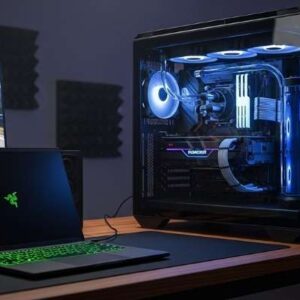
Dropping three grand on a custom-built PC rig just to play the latest AAA titles? That stings. For most of us, chasing the hardware dragon is a financially draining nightmare that never truly ends.
Instead of constantly upgrading graphics cards, savvy players are pivoting toward the Software as a Service (SaaS) model. We are outsourcing the heavy lifting to massive server farms miles away. Yet, finding the perfect fit among premium game streaming platforms takes a bit of digging.
You want flawless frame rates. You demand zero input lag. Most importantly, you want an experience that makes you forget the machine rendering your game isn’t sitting under your desk.
Let’s tear down the two biggest titans dominating the space right now. We are putting NVIDIA’s brute-force approach against Microsoft’s sprawling ecosystem. Grab a coffee, check your bandwidth, and let’s figure out where you should actually spend your monthly entertainment budget.
The Raw Horsepower: Breaking Down GeForce Now Ultimate
NVIDIA isn’t just offering a service; they are renting out supercomputers. When you subscribe to the Ultimate tier, you get exclusive access to an RTX 4080 server blade. This translates to face-melting 4K resolution at 120 frames per second, or up to 240 FPS for competitive 1080p gamers.
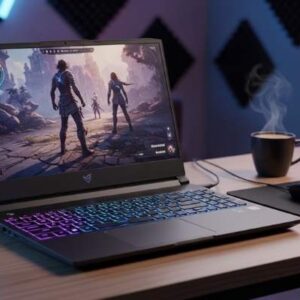
The sheer graphical fidelity is staggering. I recently fired up Cyberpunk 2077 with full path-tracing enabled on a five-year-old ultra-thin laptop. The neon-drenched streets of Night City rendered flawlessly without the machine’s fans ever spinning up. That is the magic of NVIDIA’s proprietary streaming technology.
The Bring-Your-Own-Game Caveat
Here is the catch that trips up many newcomers. GeForce Now is a hardware rental service, not a game library. You must physically own the games on storefronts like Steam, Epic, or Ubisoft Connect.
If you already possess a massive backlog of purchased titles, this ecosystem feels like a massive victory. You simply sync your accounts and play what you own with maximum visual settings. However, if you are starting from scratch, the upfront cost of buying individual games will quickly inflate your monthly expenses.
Defeating Input Lag with Reflex
Latency is the absolute enemy of cloud gaming. NVIDIA combats this by integrating their Reflex technology directly into the server stream. It actively reduces system latency, making cursor movements and trigger pulls feel remarkably native.
If you play twitch-heavy shooters, this tier is practically mandatory. Other cloud gaming service reviews often gloss over this, but the difference between a 30ms and 60ms ping can ruin a competitive match. NVIDIA’s routing optimization is arguably the best in the business.
The All-You-Can-Eat Buffet: Xbox Cloud Gaming Analyzed
Microsoft takes a wildly different approach to the SaaS gaming market. Xbox Cloud Gaming isn’t sold on its own; it comes bundled entirely within the Xbox Game Pass Ultimate subscription. You are paying for access to a rotating catalog of hundreds of games.
Think of it as the Netflix model applied to interactive entertainment. You don’t need to buy Starfield or Forza Horizon. You simply click a button, wait a few seconds, and the game launches directly on your screen.
Seamless Ecosystem Integration
The true power of Microsoft’s offering lies in its frictionless ecosystem. Cross-save functionality is borderline miraculous. I often start a sprawling RPG campaign on my physical Xbox console in the living room.
Later, while waiting at an airport terminal, I can pull out my iPhone, snap on a backbone controller, and resume the exact same save file via the cloud. The platform agnostic nature of Game Pass makes it incredibly sticky. You aren’t tied to a specific piece of hardware; your profile follows you everywhere.
The Fidelity Compromise
While the convenience is unparalleled, the visual presentation leaves something to be desired. Xbox Cloud Gaming currently relies on custom Xbox Series X server blades, but the video stream tops out at 1080p and 60 frames per second.
Compared to NVIDIA’s crisp 4K stream, Microsoft’s feed can occasionally look soft or exhibit macro-blocking during fast motion. It is perfectly serviceable for a smartphone or tablet screen. Stretch that same image across a 65-inch OLED television, however, and the compression artifacts become painfully obvious.
The Unsung Heroes: Infrastructure and Network Stability
You can buy the most expensive tier on either platform, but a terrible home network will instantly throttle your experience. Cloud gaming requires a relentless, stable connection. It isn’t just about raw download speed; it is entirely about minimizing packet loss and jitter.
Relying on a cheap router provided by your Internet Service Provider is a recipe for disaster. If you want to dive deep into this space, you need to read a dedicated high speed internet for gaming review to understand the nuances of fiber optics versus cable connections. Hardwiring via ethernet is always the golden rule.
Securing the Connection
Sometimes, your ISP will actively throttle heavy, sustained data streams like 4K video rendering. This is where a strategic network workaround becomes vital. Utilizing one of the best gaming VPN services can sometimes bypass poorly optimized ISP routing.
By forcing your traffic through a dedicated WireGuard tunnel, you can occasionally drop your ping by a few crucial milliseconds. Just remember that a VPN adds an extra hop to the server. You must test servers locally to ensure the encryption overhead doesn’t actually degrade your overall connection quality.
Bandwidth Caps and Data Anxiety
American gamers face a unique hurdle: arbitrary data caps. Streaming 4K gameplay at 120 FPS chews through roughly 20 to 25 gigabytes of data per hour.
If Comcast or AT&T enforces a 1.2 Terabyte monthly limit on your household, you will blow past that cap in less than two weeks of moderate evening gaming. Before committing to a premium SaaS gaming model, explicitly verify that your home network plan features unlimited data bandwidth.
The Verdict on Value: Which Model Wins?
Choosing between these two juggernauts ultimately comes down to what kind of gamer you are. There is no objective winner, only the right tool for your specific lifestyle.
If you crave uncompromising visual fidelity and already own a massive Steam library, NVIDIA GeForce Now Ultimate is peerless. It transforms a dusty old MacBook into a bleeding-edge gaming rig for roughly $20 a month. It is the hardcore PC gamer’s dream realized in the cloud.
Conversely, if you value variety, convenience, and discovery over pixel counts, Xbox Cloud Gaming takes the crown. The sheer value of Game Pass Ultimate is undeniable. Being able to sample hundreds of games without a single installation screen changes how you consume media.
Stop letting hardware limitations dictate what you can play. Assess your internet connection, pick the subscription model that fits your library, and embrace the future of rendering. Dive into more guides and reviews over at vimeogame.com to optimize your setup today!
Frequently Asked Questions (FAQ)
Can I play cloud games on a standard Wi-Fi connection?
Yes, but a 5GHz Wi-Fi band is absolutely mandatory. Older 2.4GHz bands suffer from massive interference and will cause stuttering. For the best experience, always use a hardwired Ethernet cable.
Do I need a high-end PC to use these premium game streaming platforms?
Not at all. The entire point of these services is to bypass local hardware requirements. You can stream heavy AAA games on cheap Chromebooks, old office laptops, or even modern smart TVs.
Will the best gaming VPN services lower my ping?
It depends heavily on your location and ISP. A VPN can fix “bad routing” by bypassing congested network nodes, potentially lowering latency. However, if your baseline connection is solid, a VPN might slightly increase your ping due to encryption.
How fast does my internet need to be for 4K streaming?
To run GeForce Now Ultimate at 4K flawlessly, you need a stable connection of at least 45 Mbps. Remember that this is sustained speed; anyone else streaming Netflix in your house will eat into that bandwidth requirement.